search for it

Showing posts with label Mobile Computer. Show all posts

Thursday, November 17, 2011

HP's First Ultrabook is the HP Folio 13, for Business

HP has announced its first ultrabook for the business sector.
Zoom
Wednesday HP revealed its very first ultrabook, the HP Folio 13. Designed for the business sector, the company's new entry will arrive on December 7 with a starting price of $899.99 USD. It will feature the latest Intel Core processors, Intel Rapid Start Technology, USB 3.0 and an embedded TPM Embedded Security Chip to protect data sent via email and stored on the zippy solid state drive.
"This category of product breaks new ground and will be a likely choice for businesses to offer to employees looking for a more consumer-centric experience," said Crawford Del Prete, executive vice president, Worldwide Research Products, and chief research officer, IDC. "We expect Ultrabooks will re-ignite interest in the small form factor PC category, and by 2015 expect 95 million Ultrabooks will be shipping worldwide annually."
According to HP, the ultrabook's battery life promises up to 9 hours -- the highest performance available among Ultrabook devices currently on the market, the company claims. It also measures just 0.71-inches thin, weighs around 3.3 pounds, and sports a 13.3-inch HD BrightView display. There's even a backlit keyboard for mobile users who work in low-light conditions.
"The HP Folio 13 features HP CoolSense technology, which uses advanced hardware and intelligent software for a noticeably cooler notebook," the company said on Wednesday. "The notebook also includes an HP ImagePad for highly accurate, advanced multitouch gesture support."
As for other features, the new ultrabook offers 128 GB of storage via the SSD, an HP TrueVision HD Webcam, Dolby Advanced Audio, a metal chassis and a "full array of ports, including RJ-45 and USB 3.0." The HP Folio 13 can also be configured with a range of Microsoft Windows 7 operating systems, including Windows 7 Professional.
According to various reports, the first model will sport an Intel Core i5-2467M processor, 4 GB of RAM and all the features previously mentioned (although HP didn't specify an actual processor or RAM amount). As for the "array" of ports, images reveal Ethernet, HDMI, USB and an SD card reader on one side, and another USB port on the other side.
Folio 13 users who need a desktop-like environment or additional audio, video, network and USB connectivity can connect the HP Folio 13 to the optional HP USB 2.0 dock, the company said.

 Source: Tom's Hardware

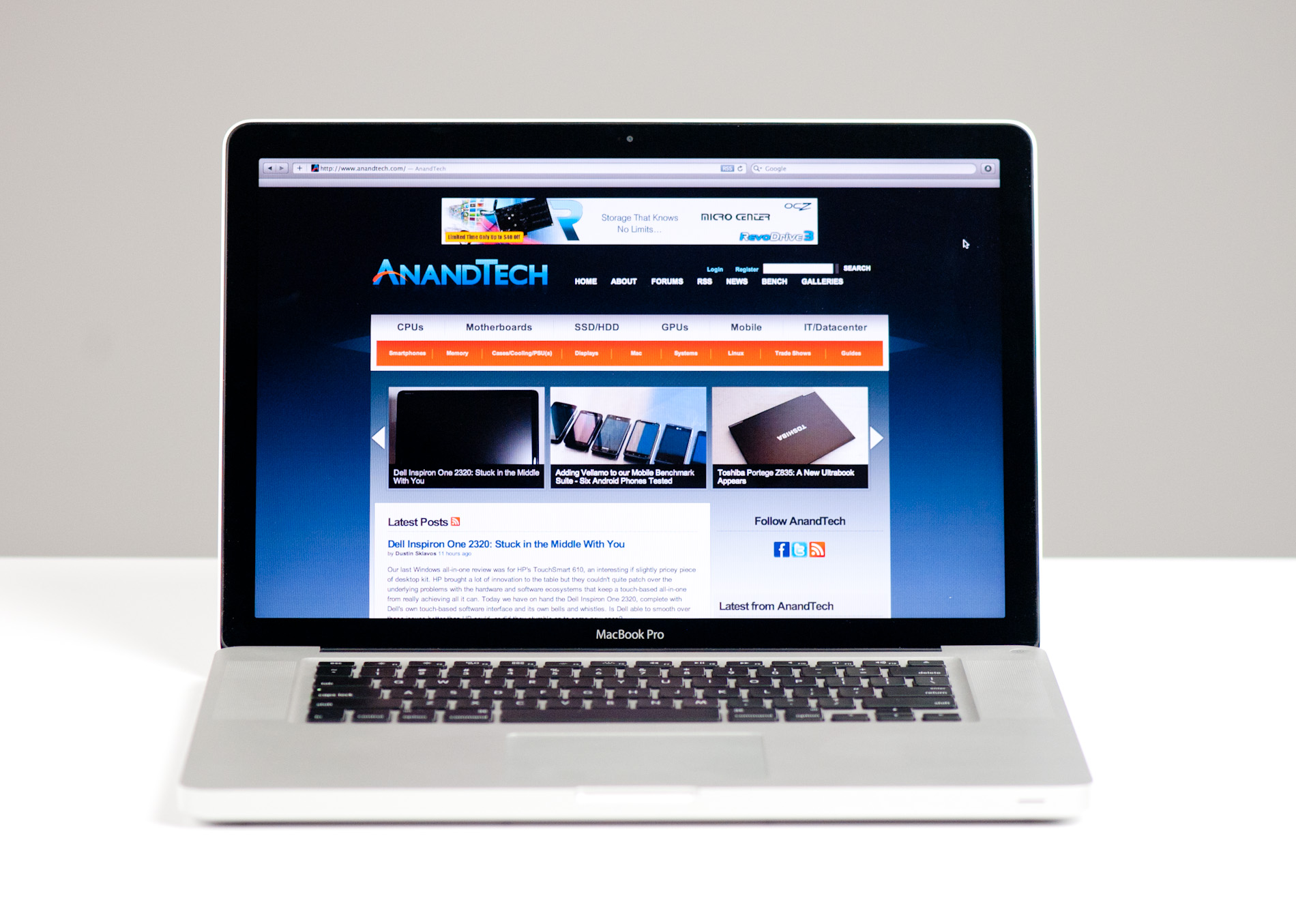
Apple 15-inch MacBook Pro (Late 2011) Review

The early 2011 MacBook Pro is honestly Apple's best effort to date. Only using quad-core CPUs on the 15 and 17-inch models, and offering an optional Thunderbolt Display that can act as a modern day dock makes this platform, particularly the 15-inch model, the perfect candidate for users who want the power and flexibility of a desktop with the portability of a notebook. Apple gets the mobile revolution in more ways than one, and its MacBook Pro/Thunderbolt Display combo is the perfect example of that.
It's this very combination that I've been using, partially since the introduction of the Sandy Bridge MacBook Pro earlier this year (the Thunderbolt Display didn't arrive until later). I've been quite happy with the setup. With the exception of lackluster Quick Sync adoption by Apple and obviously limited GPU options, I have very few major complaints.
Late last month, Apple updated its 2011 MacBook Pro lineup - likely the first and last update before Apple adopts Ivy Bridge in Q2 next year. We got our hands on the new base 15-inch MacBook Pro configuration, which received one of the more substantial upgrades over the previous model. As this is still a fairly minor upgrade, be sure to read our original review of the platform for a deeper drive into all of the aspects of the system.

Toshiba Portege Z835: A New Ultrabook Appears

Introducing the Toshiba Portege Z835
Intel's Ultrabook initiative is a curious one, one that's very gradually picking up interest among vendors. We've already had a chance to take a look at the smaller of the two units from the typically early-out-of-the-gate ASUS, and we know there are other ultrabooks out there from Lenovo and Acer, with only Dell opting to sit out of this round, unconvinced of the viability of Intel's plan. Today, in true Toshiba fashion, we get a chance to look at a more budget-oriented (or at least as budget-oriented as an ultrabook can be) unit: Toshiba's entry-level Portege Z835-P330.
Honestly the impressions start before it even gets out of the box, just because the box itself is so unusually small that you wonder how it could possibly hold a computer. But sure enough, once you open it up you'll see Toshiba's sliver of a notebook. Even if you're used to the MacBook Air, getting an ultrabook in your hands is an interesting experience. It barely weighs anything, and the profile is slim to be sure. It's a testament to how technology has evolved that a notebook like this is even possible, but there were definitely sacrifices made.

Wednesday, November 9, 2011

Intel Says Android 4.0 Has x86 Optimizations


Just two months after announcing an alliance with Google, Intel now claims that Android 4.0 "Ice Cream Sandwich" will feature support for x86 architecture.
Suzy Greenberg, a spokesperson for Intel, said last week that Ice Cream Sandwich already includes OS optimization for x86, so naturally Intel-based devices will support the upcoming Android release. The confirmation arrives after reports claimed that Android 4.0 aka "Ice Cream Sandwich" is ready to work with tablets and smartphones based on Intel's x86 mobile processors for said devices.
According to Intel, the first smartphone based on an Intel chip -- reportedly the 32-nm "Medfield" Atom chip that will also arrive on tablets -- will hit the market in the first half of 2012. Intel already admitted back at Computex in May that Medfield-powered tablets will sport a form factor thinner than 0.35-inches and weigh less than 1.5 lbs.
Intel officially announced an alliance with Google back in September that promises to churn out future versions of Android sporting compatibility with Intel's family of low-power Atom processors and "other architectures."
"By optimizing the Android platform for Intel architecture, we bring a powerful new capability to market that will accelerate more industry adoption and choice, and bring exciting new products to market that harness the combined potential of Intel technology and the Android platform," said Intel President and CEO Paul Otellini in September. "Together we are accelerating Intel architecture and bringing new levels of innovation to a maturing Android platform."
The two companies recently worked together to enable Intel architecture on Google products, which include Chrome OS and Google TV along with the Android Software Development Kit (SDK) and Native Development Kit (NDK).

Saturday, November 5, 2011

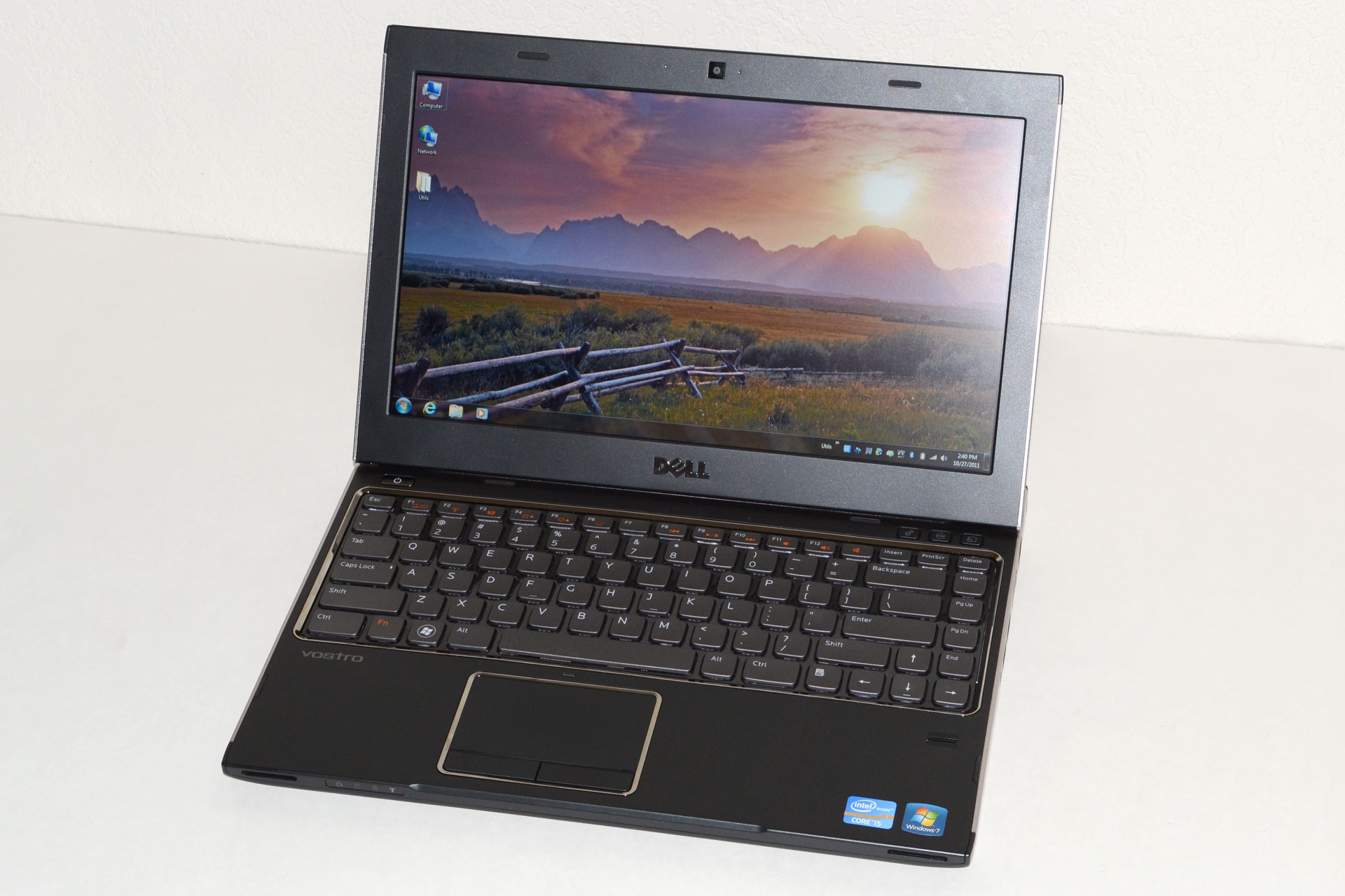
Dell Vostro V131: A Budget Business Laptop

Dell Vostro V131: What’s in a Name?
We’ve reviewed just about every line of laptops that Dell makes over the years, but we haven’t had a chance to look at the Vostro line until today. Vostro is essentially Dell’s entry-level business laptop brand, with an emphasis on business-class options while maintaining a lower price point than the Latitude line. What that means is you give up some of the performance options of Dell’s consumer lines, but you get a default 1-year warranty with next business day service along with a matte LCD. The V131 we received for review is also quite thin, nearly at ultrabook levels, which raises an interesting question: how does an $800 business laptop compare with ultrabooks and other thin-and-light laptops?
Let’s start with a brief overview of what makes something an ultrabook, as we can then easily see where the V131 falls short. We’ve covered this before, but here’s the short version: an ultrabook needs an SSD (or at least SSD caching), it needs to be “secure” (e.g. include Intel’s Identity Protection Technology), it needs to be at mainstream prices (under $1000), and it needs to be thin—really thin—0.8” thick or less to be precise. The Dell Vostro V131 already hits most of these areas, but it doesn’t have an SSD and even with the stock 4-cell battery it’s 0.83” thick. So, it’s not an ultrabook, but does that even matter?
If you put an SSD in a 4-cell V131, I’d say it’s close enough for all practical purposes. The problem is that the 6-cell extended capacity battery bumps the thickness up to 1.25”; it’s one thing to compare 0.83” with <0.8” thick, but when the comparison becomes 1.2” vs. ultrabooks there’s a noticeable increase in size. Still, I find the V131 to be “thin enough” for my purposes, particularly when we factor in the improved battery life. As for SSDs, you can’t configure the V131 with an SSD from Dell, but they’re easy enough to add on your own—and you also get to choose which particular brand/model of SSD you want rather than going with whatever Dell selects. What will be more interesting to see over the coming months is how much of a difference the ultrabook features and specs make compared to “regular” laptops like the Vostro.
Here’s the full overview of our test system features and specifications. We were shipped a higher-end configuration, and we’ve bolded the component choices where applicable in the following table. Other Vostro V131 models come with lower cost (and lower performance) CPUs, HDDs, and memory configurations.
Dell Vostro V131 Specifications
Processor Intel Celeron ULV 847 (dual-core, 1.10GHz, 2MB L3, 17W)
Intel Core i3-2310M (dual-core + HTT, 2.10GHz, 3MB L3, 35W)
Intel Core i3-2330M (dual-core + HTT, 2.20GHz, 3MB L3, 35W)
Intel Core i5-2410M (dual-core + HTT, 2.30-2.90GHz, 3MB L3, 35W)
Intel Core i5-2430M (dual-core + HTT, 2.40-3.00GHz, 3MB L3, 35W)
Chipset Intel HM67
Memory 2GB (1x2GB DDR3-1333, 1 free SO-DIMM)
4GB (2x2GB DDR3-1333)
6GB (1x4GB + 1x2GB DDR3-1333)
Graphics Intel HD Graphics (Celeron)
Intel HD 3000 Graphics
Display 13.3” WLED Matte 16:9 768p (1366x768)
(LG 133WH2)
Hard Drive(s) 320GB 7200RPM HDD
500GB 7200RPM HDD (Toshiba MK5061GSYN)
Optical Drive N/A
Networking Gigabit Ethernet(Realtek RTL8168/8111)
802.11n WiFi + Bluetooth 3.0 (Intel Wireless-N 1030)
WiDi Ready
Optional 3G/4G Mobile Broadband
Audio Stereo Speakers
Headphone jack
Battery 4-cell, 44Wh
6-cell, 11.1V, ~5.7Ah, 65Wh
Front Side N/A
Left Side Memory Card Reader
Exhaust vent
1 x USB 2.0
HDMI
Right Side Headphone Jack
2 x USB 3.0
VGA
Gigabit Ethernet
Back Side AC Power Connection
Kensington Lock
Operating System Windows 7 Professional 64-bit
Dimensions 4-Cell: 12.96" x 9.36" x 0.63-.83" (WxDxH)
(329.3mm x 237.6mm x 16.1-21.0mm)

6-Cell: 12.96" x 9.36" x 0.72-1.25" (WxDxH)
(329.3mm x 237.6mm x 18.3-31.8mm)
Weight 4.03 lbs (6-cell) / 1.83kg
Extras 1MP Webcam
86-Key backlit keyboard
Flash reader (SD, MS, MMC)
MS Office 2010 Starter
65W Power Adapter
Warranty 1-year warranty with NBD on-site service standard
Up to 3-year extended warranties available
Pricing Starting Price: $499
Reviewed Configuration: $859 (with 6GB RAM)
($659 with coupon code HCQL82SHPFRSC$)
Now that we’ve listed the specs, let’s clarify a few things. First, the 4-cell battery is quoted as an option on the spec sheet, but it doesn’t actually show up on the current four configurations. The 6-cell battery lifts the back of the laptop up about half an inch, making it quite a bit thicker. We pulled out some measuring tape and found that the front was a bit higher off the table surface than the quoted .63”, but more importantly the back is 1.25” thick with the 6-cell battery. (Measuring without the battery, the back of the laptop is 0.81” thick.) So it’s definitely thicker than an ultrabook, and the bulkier 6-cell battery really pushes it out of ultrabook contention, but otherwise the specs look pretty good on the $800 model.
The CPU offerings cover quite a wide spectrum, and your choice of CPU also influences other elements. The base model $500 V131 comes with a Celeron ULV 847 and 2GB RAM, with no option to upgrade either component (though you can still do so on your own). The Celeron 847 is a 17W part, which sounds good from a battery life perspective, but with a clock speed of 1.1GHz and only two cores it’s not going to be much faster than the old Pentium SU4100. The next bump up costs $100 more but gives you a 2.2GHz clock on the i3-2330M, plus Hyper-Threading; you also get the ability to customize the RAM and hard drive configuration.
The top-end configuration comes with an i5-2430M, 4GB RAM, and a 500GB hard drive. Our review unit is slightly out-of-date and comes with an i5-2410M, but that shouldn’t matter much, and it also has a $60 upgrade to 6GB RAM. Normally priced at $859, Dell is currently running a coupon code on the top-end model that drops the price $200. Needless to say, $659 for the i5-2430M configuration is a very reasonable price, particularly when you consider the warranty.
As a business class laptop, the Vostro line comes with next business day (NBD) on-site service standard. I’ve supported Dell systems in the past, and their NBD service worked very well. Unless something has changed, you basically call up and give them a description of the problem, and the next day someone shows up with either replacement parts (or potentially a replacement laptop). I never had issues with their local service provider, and compared to the runaround you often get with consumer support it’s hard to overstate the importance of fast service for business users. If you’re at a company that’s large enough to have an IT department, it probably doesn’t matter much, but for smaller companies minimizing downtime is critical. Bumping up to a 3-year NBP warranty is also priced at just $80; that compares to a $119 charge to do the same on an Inspiron 14z, or $299 (WTF!?) to get a 3-year warranty on the XPS 15z. (Note: all of those prices I just quoted are liable to change, sometimes by a large amount, at any given time.)
While the specs may not be enough to set the world on fire, business generally aren’t interested in the bleeding edge. Instead, they want a well-built laptop that will stand the test of time, and while the Vostro V131 may not include the spill resistant keyboard or magnesium alloy frame of a Dell Latitude, the V131 does try to strike a nice balance between features, build quality, and cost. It also looks unassuming (unless you get the red version), which is what most companies prefer. So how successful is the V131 at maintaining that balance? Let’s dig a little deeper.

Source: AnandTech.com