I've written previously about the SSD lottery you play when you
buy a new MacBook Air.
As with many commodity components, Apple sources its SSDs from two
sources. For now, that appears to be Toshiba and Samsung. Apple tends to
pick suppliers that can deliver a reliable product in the quantities
it's interested in. In the storage space at least, Apple doesn't seem to
be overly concerned with performance but rather making sure the
solution works.
A year ago, the Toshiba and Samsung controllers offered fairly similar
performance. These days the same isn't true. While Samsung has updated
its controllers, Toshiba's solution still offers the fairly abysmal
random write performance it did a year ago. With the recent release of
the Samsung SSD 830, I expect the trend of Samsung drives increasing in
performance will continue next year as well.
Unlike the rest of Apple's notebook lineup however, it's not so easy to
just swap in a higher performing (or larger capacity) SSD in your
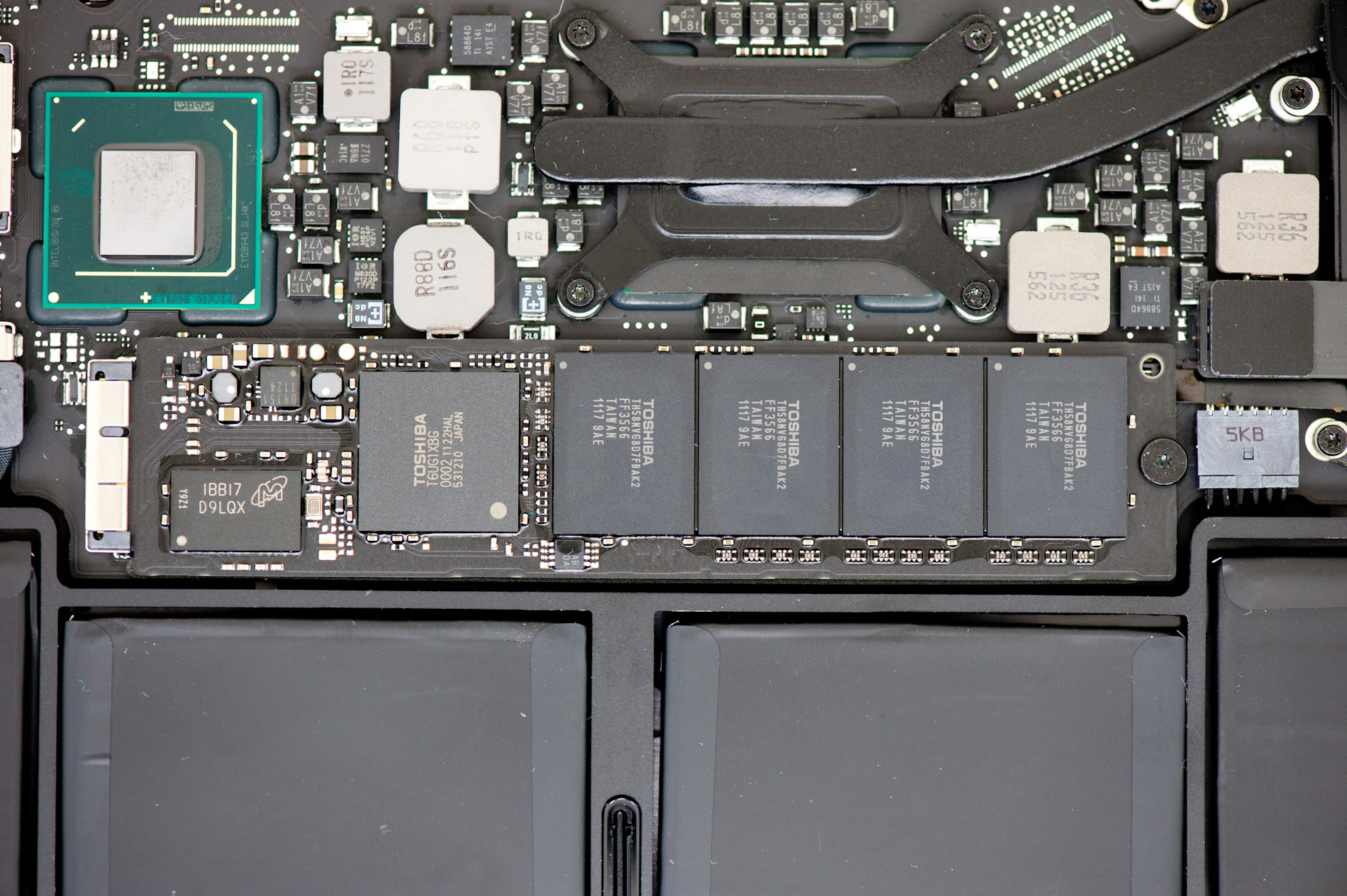
MacBook Air. The very first MBAs used a PATA LIF connector, a rarity on
most drives. Apple eventually transitioned to a SATA LIF connector, and
then with the release of the 2010 MacBook Air we encountered a new thin
form factor SSD with a custom interface connector. In all of those
cases, the market for third party MacBook Air SSDs popped up at some
point post-launch. The 2010/2011 MacBook Air has been no different.
If you've followed the aftermarket Mac support business then OWC should
be no stranger to you. If you haven't heard of OWC from their Mac
efforts, there's always the fact that second to only OCZ, no one has
been quicker at releasing SSDs based on brand new SandForce controllers.
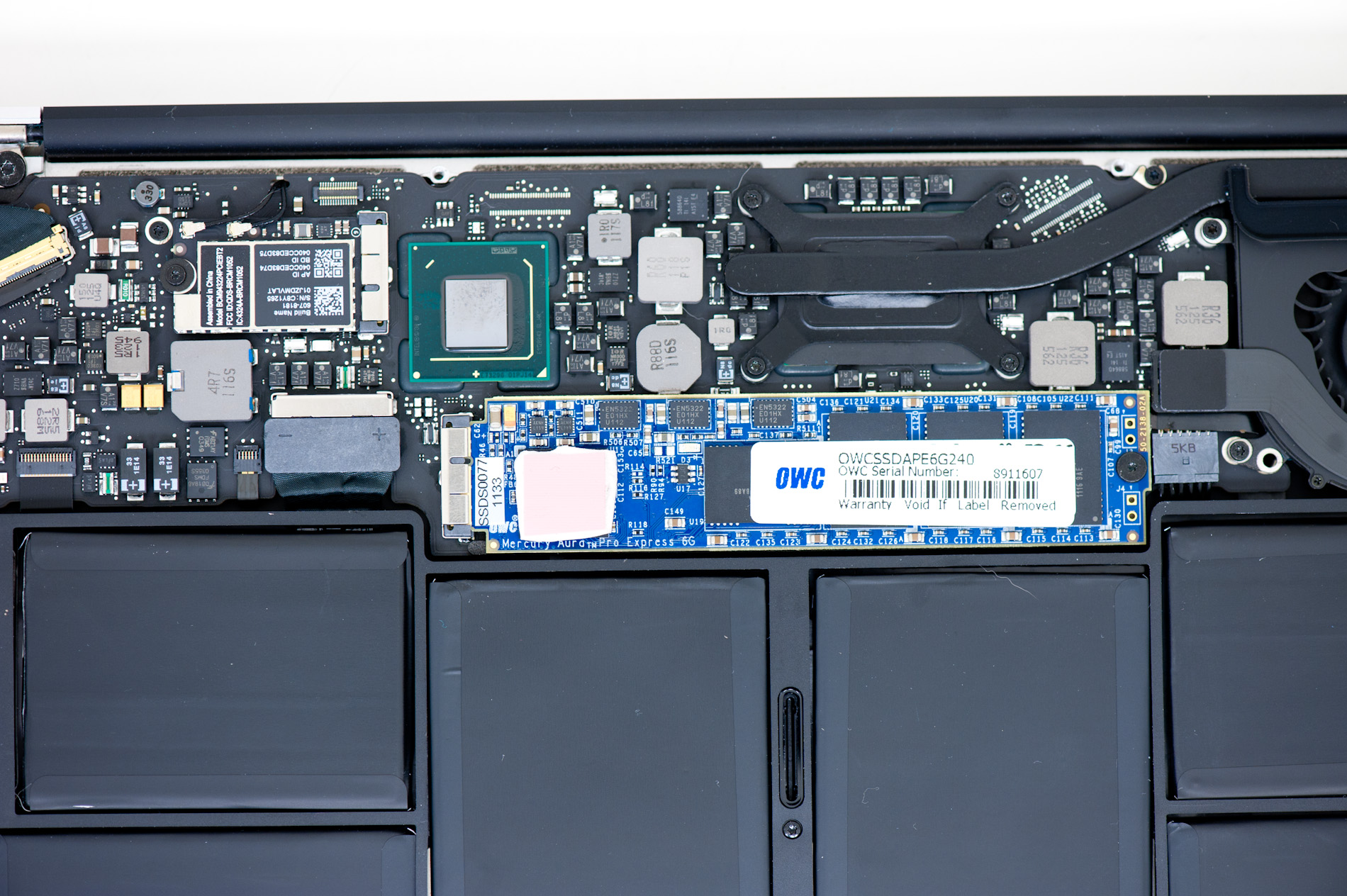
OWC put out an aftermarket drive for owners of 2010 MacBook Airs based
on the 3Gbps SF-1200 controller. For 2011 MBA owners there's a 6Gbps
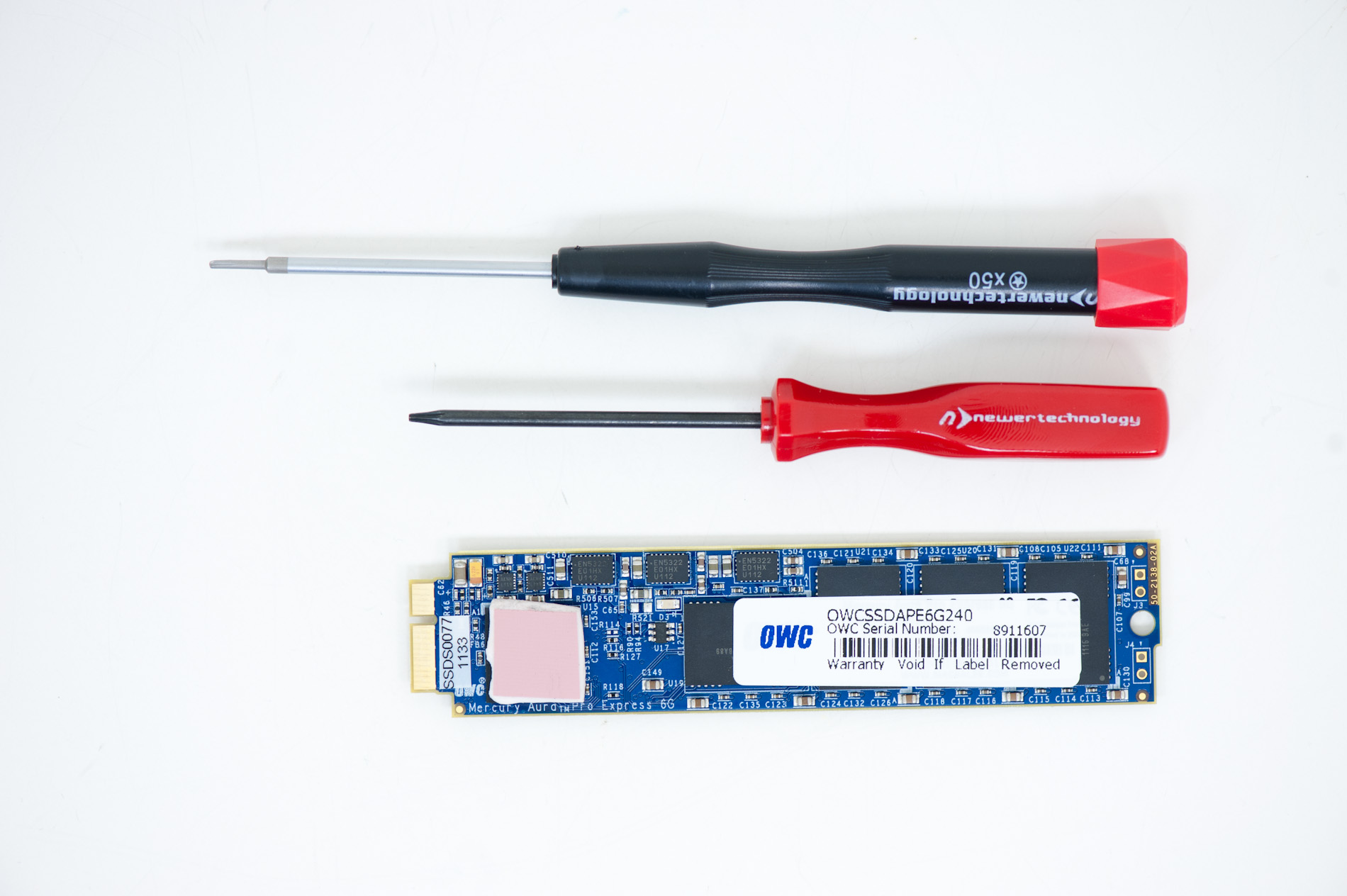
SF-2281 option: the OWC Mercury Aura Pro Express 6G.
The drive is available in 120GB and 240GB capacities, for $280 and $550
respectively. Both drives come with pentalobe and torx drivers to aid
in opening your MBA and replacing your old drive.
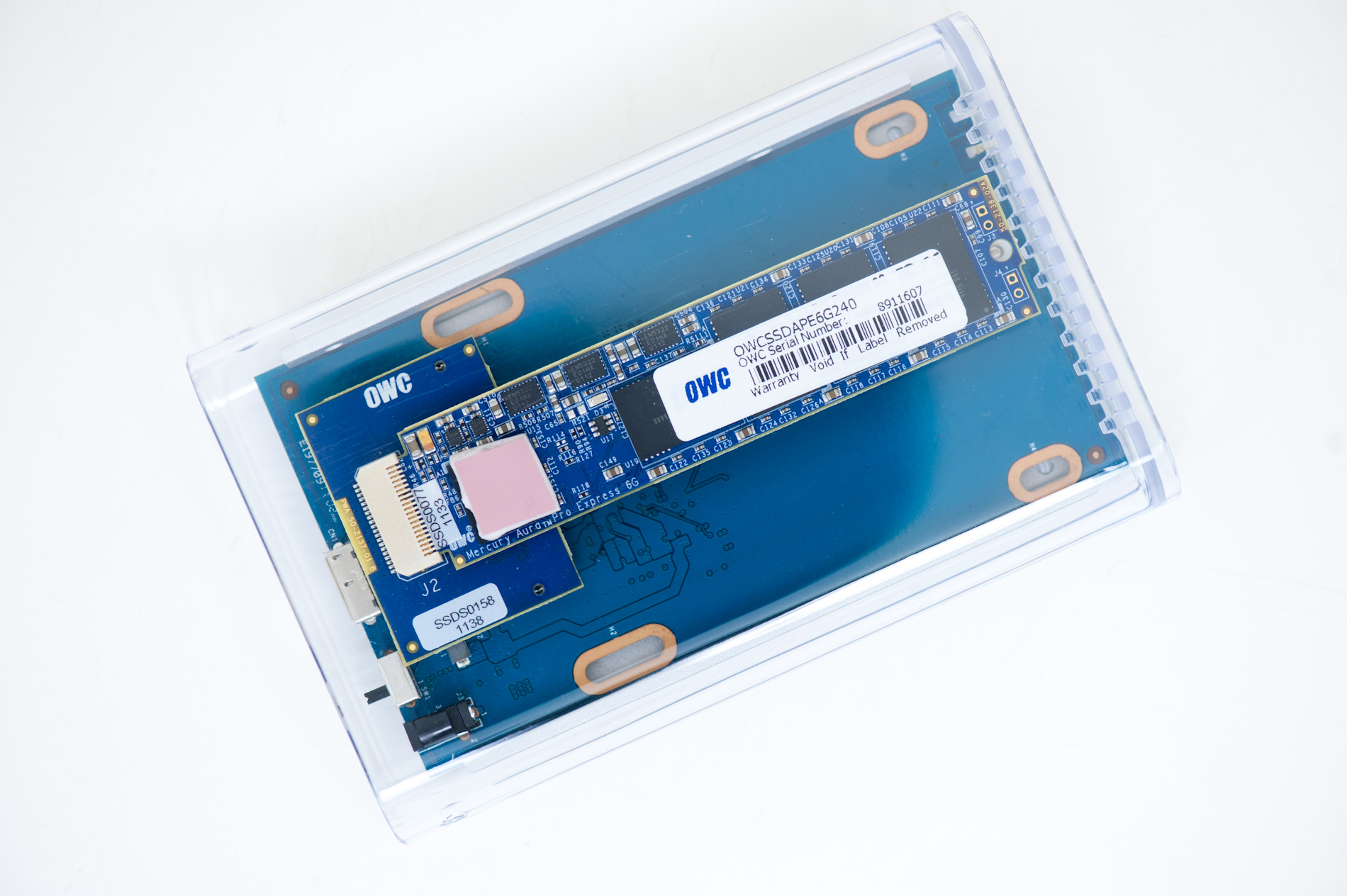
For another $35 OWC will sell you an external USB 2.0/3.0 enclosure
that can house your old MBA SSD either to help you transfer your data or
give you a sweet, high performance external drive once you're done.
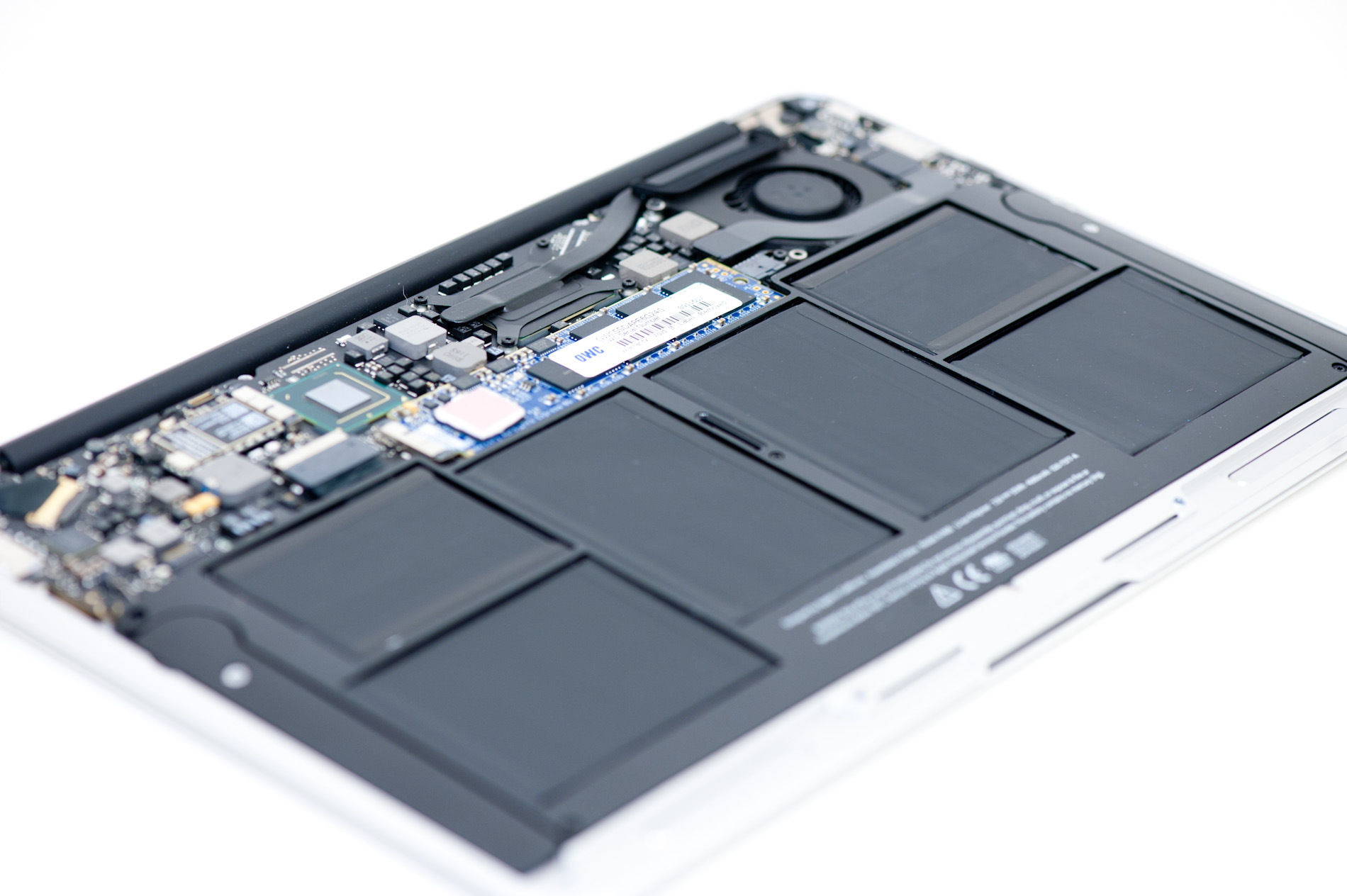
OWC sent me a 240GB Aura Pro, which I installed into an 11-inch MacBook
Air. The installation process was a cinch. The only hiccup was that I
couldn't just clone my 256GB Toshiba SSD using Disk Utility since the
Aura Pro was technically smaller. Instead I used Lion's internet
recovery to download and install a fresh copy of OS X, before restoring
my data and installing benchmarks.
If you've followed our SSD reviews you'll know what to expect next.
SandForce's SF-2281 controller is the fastest option on the market
today, while the Toshiba controller Apple uses is pretty much on the
opposite end of the spectrum. I ran our standard four-corners Iometer
test to put into perspective just how much faster the OWC upgrade is:
|
2011 MacBook Air SSD Performance Comparison |
|
|
4KB Random Write (8GB LBA Space, QD3) |
4KB Random Read (QD3) |
128KB Sequential Write |
128KB Sequential Read |
|
OWC Mercury Aura Pro Express 6G |
88.4 MB/s |
30.4 MB/s |
495.1 MB/s |
451.4 MB/s |
|
13-inch MacBook Air (Mid 2011) - Toshiba SSD |
1.65 MB/s |
18.0 MB/s |
204.2 MB/s |
189.5 MB/s |
|
11-inch MacBook Air (Mid 2011) - Samsung SSD |
27.2 MB/s |
44.6 MB/s |
258.0 MB/s |
234.4 MB/s |
|
11-inch MacBook Air (Late 2010) - Toshiba SSD |
2.49 MB/s |
31.1 MB/s |
147.0 MB/s |
113.0 MB/s |
Performance is just staggering. The comparison is borderline unfair
because both the Samsung and Toshiba controllers Apple uses in its
MacBook Air are really a generation old at this point, while the Mercury
Aura Pro Express is the absolute latest and greatest 6Gbps solution
SandForce offers. The performance advantage is noticeable. The upgrade
does make everything feel snappier, particularly compared to a MBA
equipped with a Toshiba SSD. Large file transfers complete quicker and
heavy multitasking workloads see an improvement as well.
SandForce achieves this performance advantage by using real time
compression and data deduplication algorithms to reduce the amount of
data actually written to the NAND. Since much of what we write to our
drives in the course of normal use is easily compressible data,
SandForce's technology is quite effective. Where the controller falls
short however is if you're moving incompressible data, for example
already highly compressed videos or encrypted data. While highly
compressed content like H.264 movies will really only impact sequential
read/write speed, enabling full disk encryption under OS X impacts all
of your data. Truly random data is impossible to compress/dedupe, so I
enabled FileVault under Lion and re-ran our performance tests on the
Aura Pro:
(Encryp
|
2011 MacBook Air SSD Performance Comparison |
|
|
4KB Random Write (8GB LBA Space, QD3) |
4KB Random Read (QD3) |
128KB Sequential Write |
128KB Sequential Read |
|
OWC Mercury Aura Pro Express 6G |
88.4 MB/s |
30.4 MB/s |
495.1 MB/s |
451.4 MB/s |
|
OWC Mercury Aura Pro Express 6G (Encrypted) |
80.8 MB/s |
28.8 MB/s |
184.8 MB/s |
431.9 MB/s |
|
Apple Toshiba SSD (Encrypted) |
1.13 MB/s |
19.4 MB/s |
178.7 MB/s |
195.8 MB/s |
Sequential write performance takes a pretty significant hit, but the
rest of the metrics look ok. In fact, I'd say even if you're running
with your drive encrypted you'll have a better experience on the OWC
drive than with either of the Apple SSDs.
With the OWC Mercury Aura Pro Express 6G you get much better
performance than the stock Apple SSDs regardless of usage. Is there any
downside to going with the aftermarket drive? Unfortunately there
appears to be one:
|
Power Consumption Comparison |
|
|
Idle |
Load (Sequential Write) |
|
OWC Mercury Aura Pro Express 6G |
6.2W |
19.0W |
|
OWC Mercury Aura Pro Express 6G (Encrypted) |
6.2W |
18.0W |
|
Apple Toshiba SSD |
5.5W |
16.4W |
It's natural for the OWC solution to draw more power under load, you're
getting over twice the performance so the increase in power draw is
actually not an issue (better power efficiency since you'll be at idle
quicker than with a stock SSD). The bigger concern is what happens at
idle. My 11-inch MacBook Air typically idles at 5.5W, swapping in the
OWC drive increased that idle power consumption to 6.2W. Now this is
measured at the wall, so it takes into account AC adapter inefficiency.
The actual impact at idle should be somewhere in the 300mW - 400mW
range. For a mostly idle workload you'd probably see a 30 minute
reduction in battery life.
Final Words
The OWC Mercury Aura Pro Express 6G is a well executed SSD upgrade for
2011 MacBook Air owners. You get an absolutely huge performance increase
and an option for users who want the entry level 2011 MBAs but with a
larger capacity SSD. If your MacBook Air is your primary workhorse,
perhaps even your desktop replacement, and you got stuck with a Toshiba
SSD the OWC option makes a lot of sense. OWC thankfully provides
everything you need in the box to get into your MacBook Air and swap
drives.
The downside is power consumption. At idle the SandForce controller
simply draws more power than the Toshiba controller in the MBA we
tested. The overall impact on battery life won't be tremendous (perhaps
5% on a mostly idle workload), but if you're already on the edge of
usability with the battery life from your stock MacBook Air you may want
to remain stock.
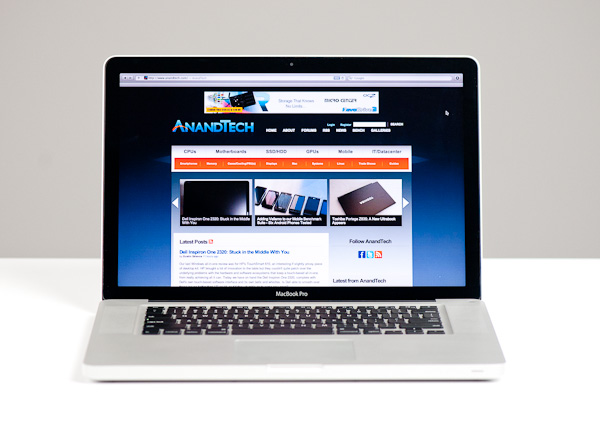 Late last month, Apple updated its 2011 MacBook Pro lineup - likely the first and last update before Apple adopts Ivy Bridge
in Q2 next year. We got our hands on the new base 15-inch MacBook Pro
configuration, which received one of the more substantial upgrades over
the previous model. As this is still a fairly minor upgrade, be sure to read our original review of the platform for a deeper drive into all of the aspects of the system.
Late last month, Apple updated its 2011 MacBook Pro lineup - likely the first and last update before Apple adopts Ivy Bridge
in Q2 next year. We got our hands on the new base 15-inch MacBook Pro
configuration, which received one of the more substantial upgrades over
the previous model. As this is still a fairly minor upgrade, be sure to read our original review of the platform for a deeper drive into all of the aspects of the system.